
Code Deployment: The self-hosted way
How to deploy websites with forgejo and coolify by yourself on your own server

Code, as-it-is takes a lot of time to write, but also to host, build and deploy. I use a different set of tools for my usage. Most of them the conventional ones are free, they came with a catch. It always needs permission to your code, it could be used to train AI or would be limited to certain domains, certain number of runs or available for a limited trial period.
I don’t like what has become of GitHub, with unnecessary settings and bloat, it lost its simplicity. Gitea was a good option, but Forgejo was even better (I will not get into their fued) but any will work flawlessly. I wanted to host the code I wrote, instead of keeping it somewhere else. Coolify was a really cool and wonderful software that has almost everything I needed to deploy web applications.
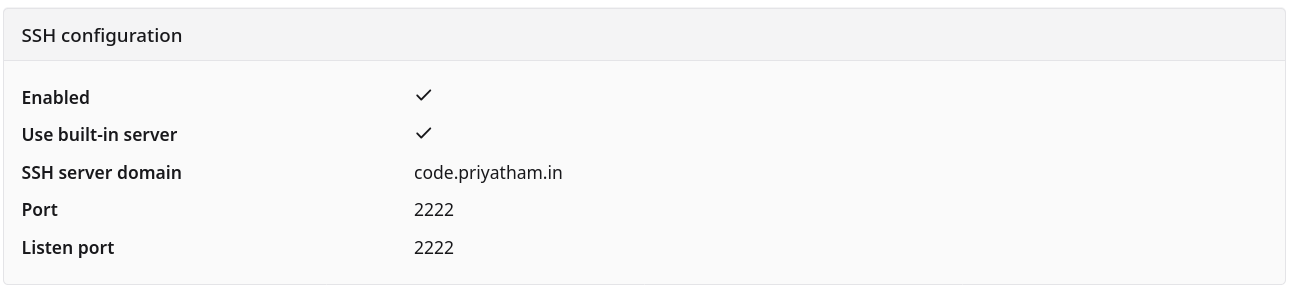
Port Forward for Forgejo SSH
I can’t rely on HTTPS for cloning and handling the git repos. I need a ssh way of doing things. But 22 is already for my own server from my public IP. So, a new port is in order to handle all of the git requests.
My SDN needs to be able to forward all of them from the local network to the SDN through iptables. I wasn’t really sure how to do but, I tried it. It worked flawlessly. Once I got it working, I was able to do it for DNS and FTP and many others which was awesome.
# forgejo ssh port: 2222
post-up iptables -t nat -A PREROUTING -i vmbr0 -p tcp --dport 2222 -j DNAT --to-destination 10.10.10.116:2222
post-down iptables -t nat -D PREROUTING -i vmbr0 -p tcp --dport 2222 -j DNAT --to-destination 10.10.10.116:2222

post-up iptables -t nat -A POSTROUTING -o vnt1 -p tcp --dport 2222 -d 10.10.10.116 -j MASQUERADE
post-down iptables -t nat -D POSTROUTING -o vnt1 -p tcp --dport 2222 -d 10.10.10.116 -j MASQUERADE

post-up iptables -A FORWARD -p tcp -d 10.10.10.116 --dport 2222 -j ACCEPT
post-down iptables -D FORWARD -p tcp -d 10.10.10.116 --dport 2222 -j ACCEPT
First section of post-up rules to forward incoming SSH traffic to the LXC container 116 on IP 10.10.10.116. The second one, post-down for outgoing with local networks in other interfaces and the last set of forward rules for external connection to be forward to the container.
Once that was done, I wanted to be able to deploy it where I wanted, I could build it and server using nginx, but that would be a hassle for every single typo and commit I saw myself making and correcting. Running them in different ports, giving subdomains. Which I had something like Vercel or heruko when I used as an undergrad, something similar that I could self-host. After a good look, I found Coolify to be a good way to build and deploy prototypes.

Subdomains for Coolify
Thinking and designing the whole system. The straight forward approach was to have subdomains like *.priyatham.in. But wait, I have many other services (I think close to 25, All of them). Conflicts can occur. I didn’t want to deal with them or think about it. So a multi-level subdomain ( I call it sub subdomain) could be the solution. *.deploy.priyatham.in would work giving it a way for me to differentiate between my regular services and test sites.
What about the UI of Coolify ? That can’t be inside. So I reverse proxied it with deploy-ui.priyatham.in.
I couldn’t get the name of the repo to be the sub subdomain automatically once I create the project in the UI. I have to manually go and edit it as I deploy it out.
Certbot for sub-subdomain
I had the Certbot plugins to do the renewels and creation of certificates for regular subdomains, this one needs a new one. Since I wanted a wildcard domain with deploy it should *.deploy.priyatham.in hence have to create the certs for the same. I use the porkbun plugin because that’s where I have my nameservers and the domain management. But the command is (for me to copy paste later on):
~# certbot certonly \
--dns-porkbun-credentials .../credentials.ini \
-d "*.deploy.priyatham.in" \
-d priyatham.in
Deploy keys with Forgejo and Coolify
Deploy keys are used for exactly what they say they are. To deploy private git repos with ssh safely and properly.
Coolify has a weird of doing it (or I don’t know the right way), there’s a back and forth of doing it,
- Create the Deploy keys
- add it to authorized keys
- add it to your Forgejo repo
- create the project and add the git repo selecting the same deploy key.
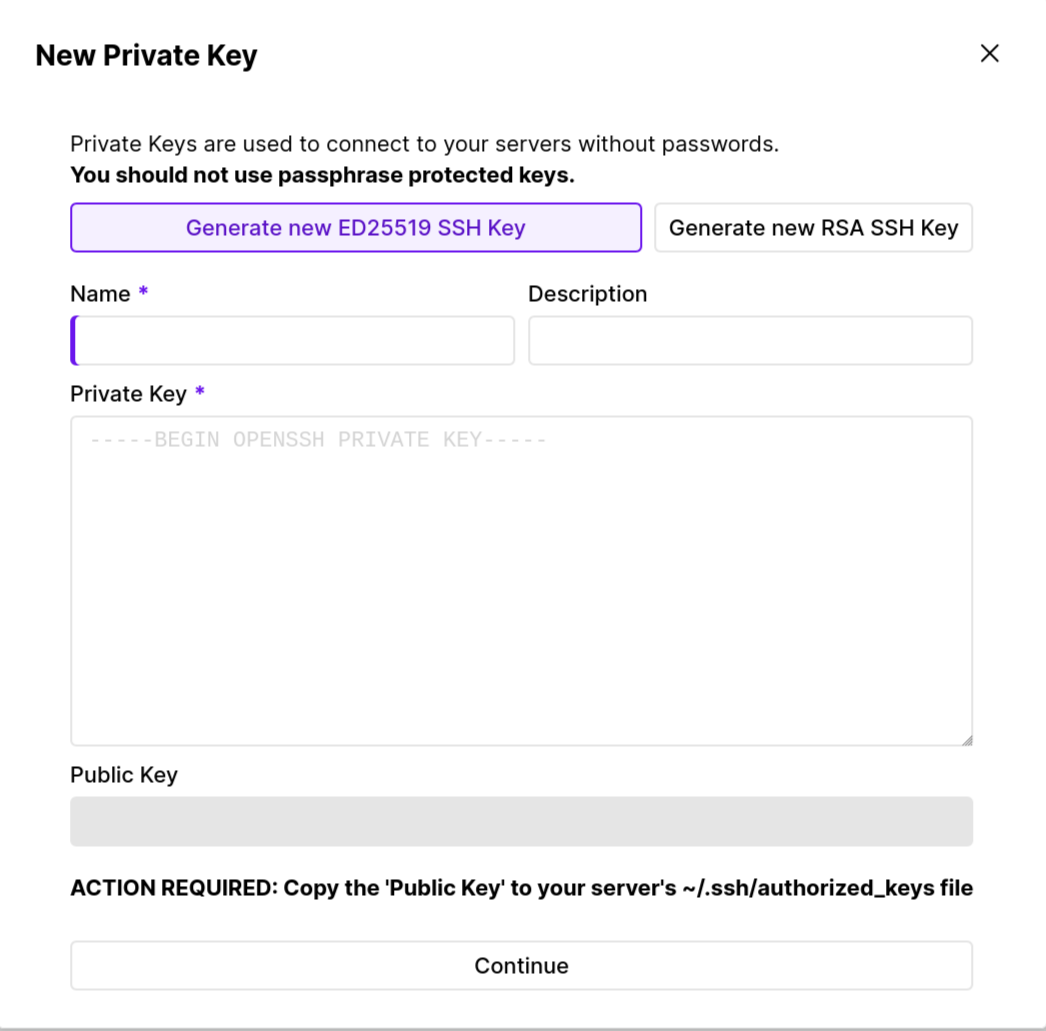
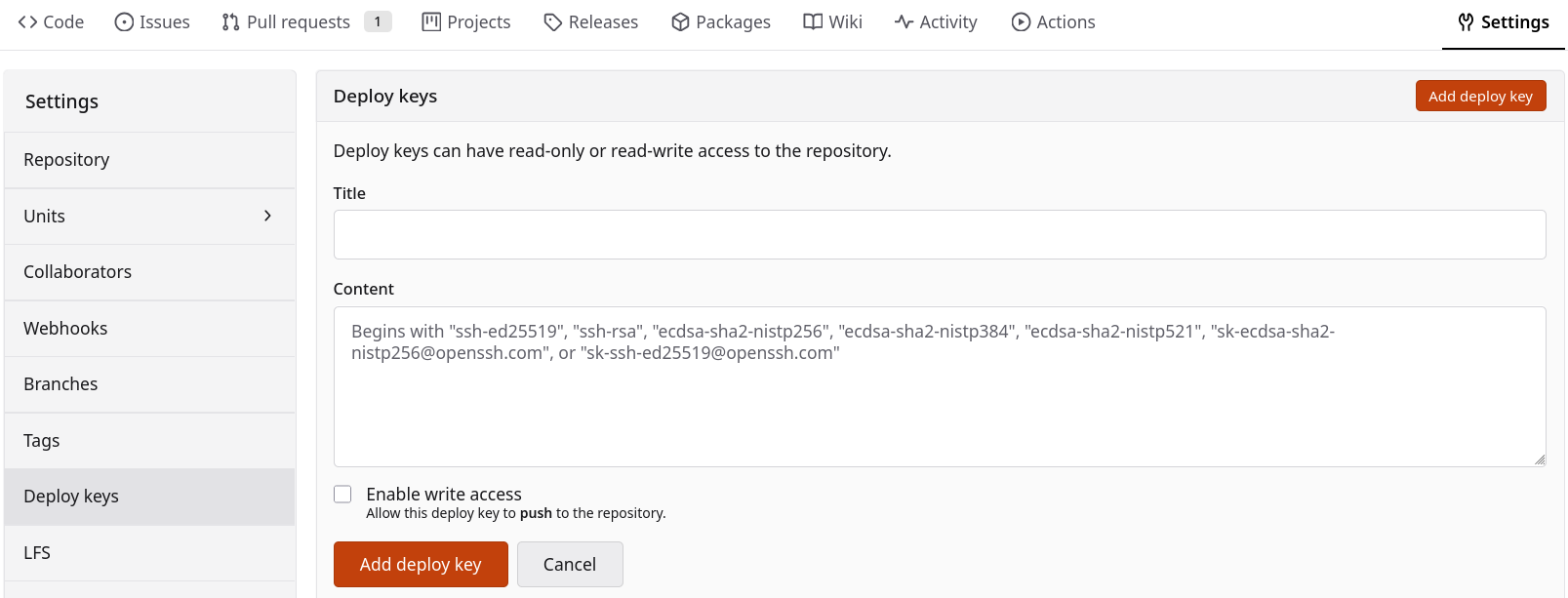
I wasted a lot of time by forgetting to add authorized_keys to the server that runs my deployed application. It never gave me a clear warning after creating it, so it disabled the keys with no response.
Auto builds and Webhooks
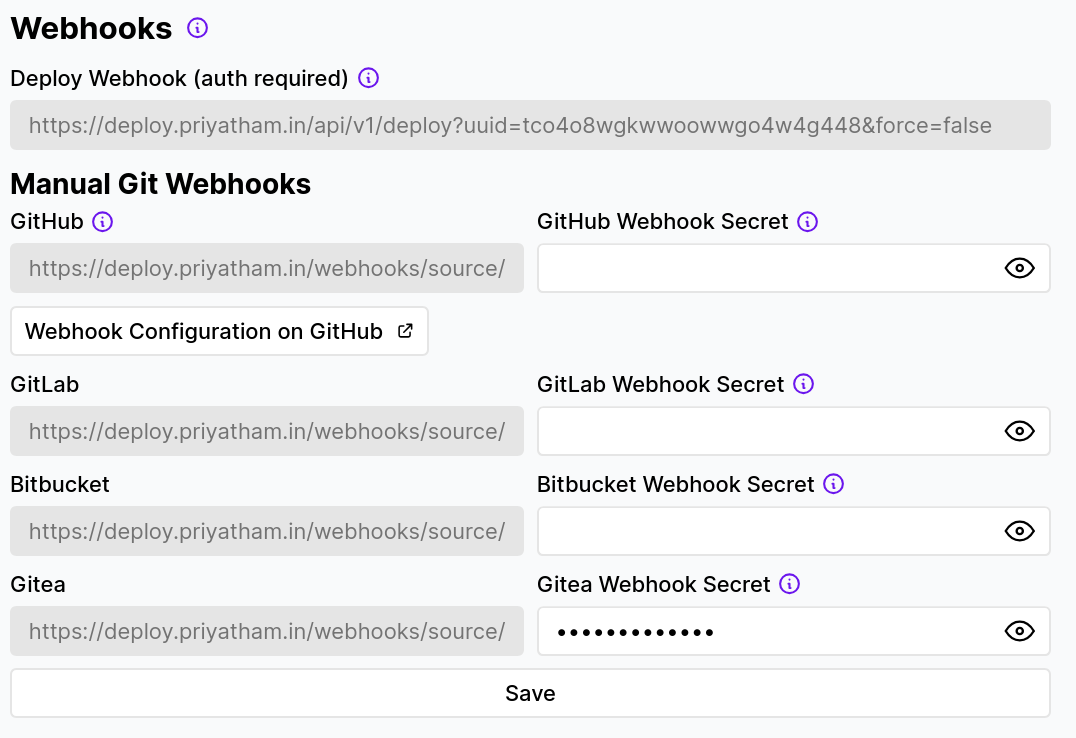
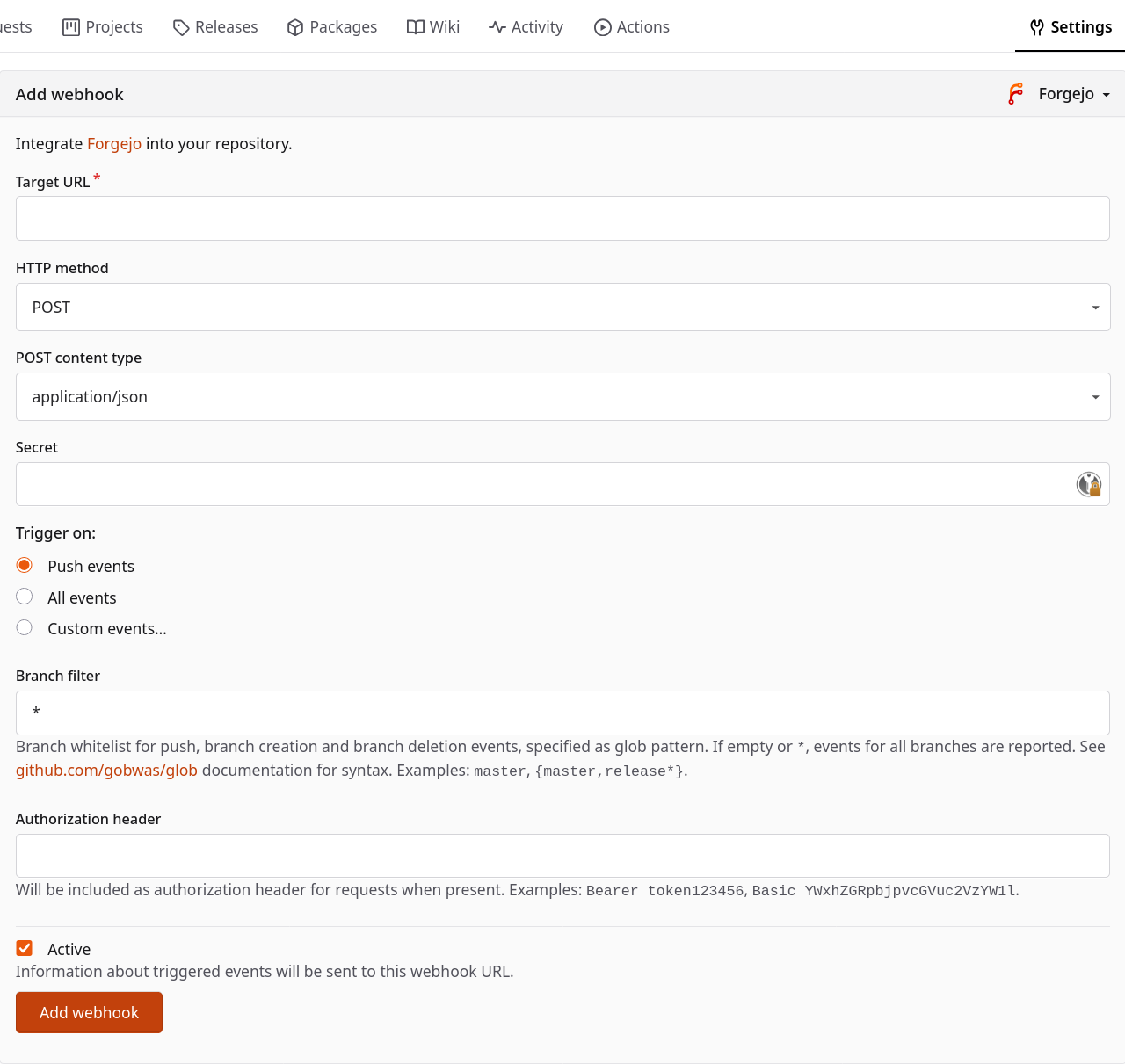
Wouldn’t be cool if I don’t have to manually deploy every change ? Webhooks are just for that. They follow similar steps. Creating the webhook with a secret. Adding it into Forgejo webhook, there’s no clear webhook integration for coolify so I just used the forgejo one, with the targer url, secret and branch filters.
So let’s say I only want to trigger when a commit is done to the main branch and not any other ones, I can create the filter to only include main instead of ‘*’.
Future
Forgejo runner is what I am looking at currently, trying to include that, but with all the other things I have to do (The never ending OIDC connections, or the 5 pending articles) I decided to try it out later.